Time Zone Converter Online — Schedule Meetings Globally
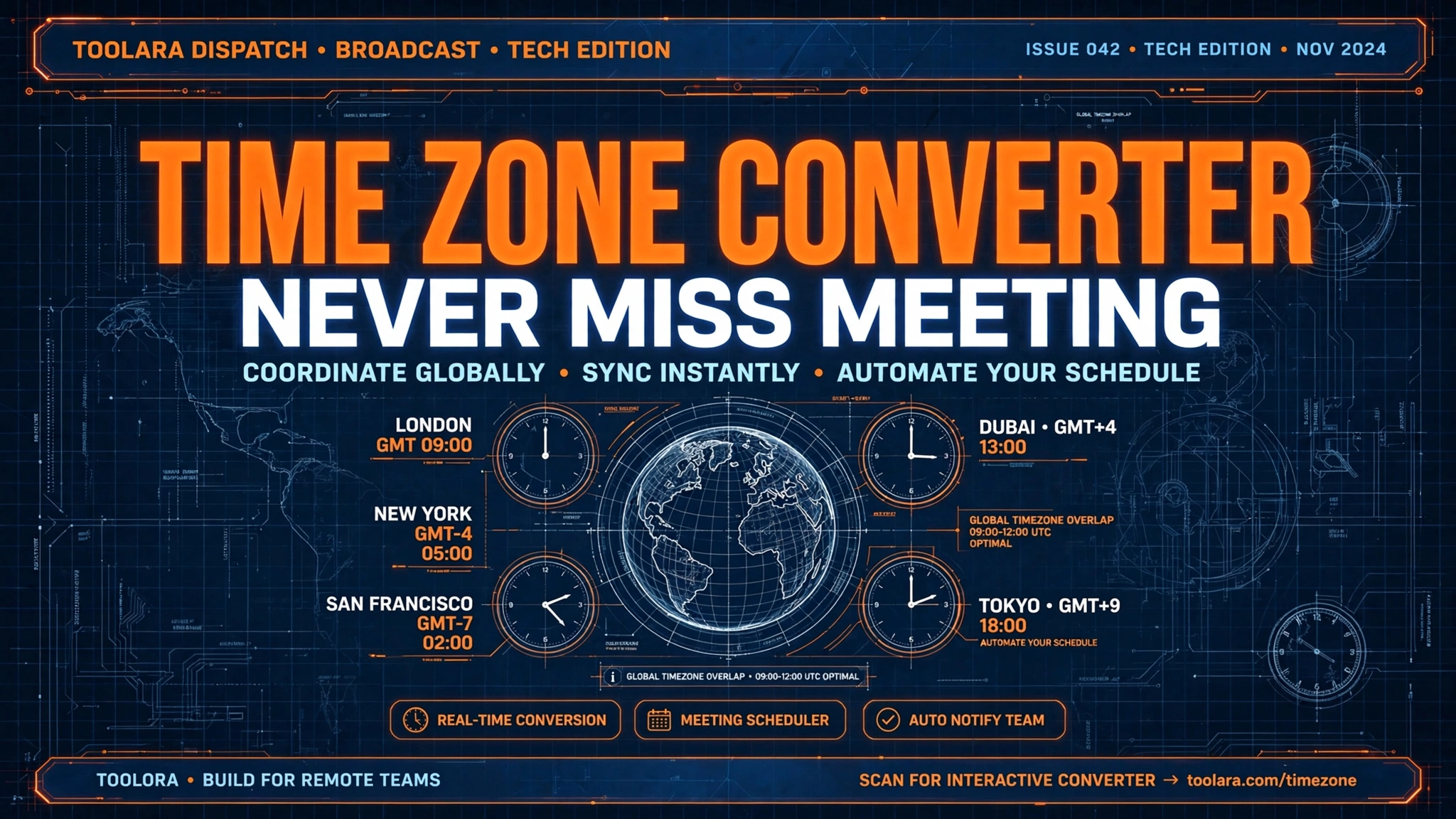
In a world where remote work, global clients, and international teams are the new normal, getting time zones wrong can derail projects, damage client relationships, and waste hours of productivity. A reliable time zone converter online is no longer a nice-to-have — it's essential infrastructure for anyone working across borders.
A time zone converter online lets you instantly translate any time from one region to another, eliminating scheduling confusion across countries. Simply enter your local time, select the source and target time zones, and get an accurate conversion in seconds. It's the fastest way to coordinate meetings, calls, and deadlines with global teams.
Time Zone Converter Online: Stop Scheduling Mistakes Before They Happen
Every remote worker, freelancer, and project manager has experienced the dreaded "Was the meeting at 3 PM your time or mine?" message. These mix-ups aren't just embarrassing — they cost real money. According to remote work surveys, time zone mistakes lead to an estimated 15–20% of rescheduled meetings in distributed teams. That's hours of lost productivity every single week.
A free time zone converter tool solves this in seconds. Instead of doing mental math, counting hours on your fingers, or relying on outdated spreadsheets, you can plug in any time, choose two locations, and get an instant, accurate answer. Modern converters even factor in Daylight Saving Time (DST), leap days, and historical time zone changes — things that would otherwise trip you up.
Whether you're scheduling a sales call with a client in Tokyo, coordinating a sprint review with developers in Berlin, or planning a webinar for global attendees, an international time zone calculator keeps everyone on the same page. The best part? You don't need to install software, create an account, or pay a subscription. Just open your browser and convert.
Try it now: Toolora's free Time Zone Converter handles all of this in a clean, fast interface — no signup required.
Why Time Zone Confusion Costs Teams More Than Just Missed Meetings
The real cost of time zone errors goes well beyond a missed Zoom call. Here's what's actually at stake:
- Lost revenue: A missed sales call with an international prospect can mean losing a deal worth thousands of dollars.
- Damaged trust: Showing up an hour late (or a day early) to a client meeting damages your professional reputation instantly.
- Project delays: When dev teams in different countries can't sync handoffs properly, sprints slip and deadlines crumble.
- Burned-out employees: Forcing the wrong person to take a 2 AM call because of a conversion error leads to resentment and turnover.
- Customer support failures: Promising "we'll call you back at 4 PM" without specifying the time zone creates angry customers.
The solution isn't to memorize the offsets for every country on Earth. It's to use a world clock time zone converter that does the heavy lifting for you.
The Hidden Complexity of Time Zones
You might think time zones are simple — every country has one, and they're each an hour apart. Not even close. Here's why it gets messy:
- Some countries span multiple time zones. The United States has 6, Russia has 11, and Australia has 3 main zones.
- Half-hour and 45-minute offsets exist. India is UTC+5:30, Nepal is UTC+5:45, and parts of Australia use UTC+9:30.
- DST rules vary wildly. The EU, US, and Australia all change clocks on different dates. Many countries don't observe DST at all.
- Political changes happen. Countries occasionally change their time zones permanently — Samoa famously skipped December 30, 2011 entirely.
- Time zone names overlap. "CST" can mean Central Standard Time (US), China Standard Time, or Cuba Standard Time.
A quality best online time zone converter handles all of these edge cases automatically.
How to Use a Time Zone Converter Online to Schedule Across Borders
Using a time zone converter online is straightforward, but doing it correctly requires a few key steps. Here's the foolproof method:
- Open a reliable converter tool — like the Toolora Time Zone Converter.
- Select your source location. Choose the city or time zone where the original time is based (e.g., New York, EST).
- Enter the time and date. Use a 24-hour format if possible to avoid AM/PM confusion.
- Select your target location(s). Choose one or multiple cities you want to convert to.
- Review the converted result. Double-check the date — some conversions cross over to the previous or next day.
- Share the result clearly. When messaging colleagues, always include both times and zones (e.g., "3 PM EST / 8 PM GMT").
Common Time Zone Conversion Examples
Here's a quick reference table of common conversions for a meeting scheduled at 10:00 AM New York time (EST/EDT):
| City | Time Zone | Local Time | Same Day? |
|---|---|---|---|
| London | GMT/BST | 3:00 PM | Yes |
| Berlin | CET/CEST | 4:00 PM | Yes |
| Dubai | GST | 6:00 PM | Yes |
| Mumbai | IST | 7:30 PM | Yes |
| Singapore | SGT | 10:00 PM | Yes |
| Tokyo | JST | 11:00 PM | Yes |
| Sydney | AEDT | 1:00 AM | Next day |
| Los Angeles | PST/PDT | 7:00 AM | Yes |
| São Paulo | BRT | 11:00 AM | Yes |
Notice how Sydney falls on the next day. This is exactly the kind of slip-up that causes missed meetings — and exactly why automated convert time zones between countries tools are so valuable.
Time Zone Converter Tips and Best Practices for Remote and Global Teams
If you're managing a distributed team or working with international clients regularly, these best practices will save you hours of confusion:
1. Always Use UTC as Your Reference Point
When announcing event times to a global audience, list UTC alongside the local time. UTC (Coordinated Universal Time) never changes for DST, so it's a fixed reference everyone can convert from.
2. Specify Time Zones Explicitly
Never write just "3 PM." Always include the abbreviation: "3 PM EST" or "15:00 UTC". Better yet, use city names: "3 PM New York time."
3. Use 24-Hour Format in Written Communication
"15:00" is unambiguous. "3:00" could be morning or afternoon. This small habit prevents major mistakes.
4. Find Overlapping Working Hours
For teams spread across many zones, identify the 2–4 hour window where most members have reasonable working hours. Schedule synchronous meetings only during this overlap, and use async tools (Slack, Loom, docs) for everything else.
5. Beware of Daylight Saving Transitions
DST shifts happen twice a year, and they don't happen everywhere on the same date. A meeting scheduled in March between New York and London will shift relative position because the US "springs forward" two weeks before the UK does. Always re-verify recurring meetings after DST transitions.
6. Plan Around Holidays and Weekends Too
It's Friday afternoon for you, but it's Saturday morning in Auckland. A good meeting time across time zones strategy accounts for local weekends, public holidays, and cultural work patterns.
7. Bookmark a Trusted Converter
Don't waste time searching every time you need a conversion. Bookmark the Toolora Time Zone Converter for instant access.
Frequently Asked Questions
What is the best free time zone converter online?
The best online time zone converter is one that's fast, accurate, accounts for DST automatically, supports multiple cities at once, and doesn't require signup. The Toolora Time Zone Converter checks all these boxes — it's completely free, works in any browser, and gives you instant conversions between any two (or more) cities worldwide. Unlike many free tools, it handles half-hour offsets (like India's UTC+5:30) and updates DST rules automatically, so you never get outdated results.
How do I convert time zones for an international meeting?
To convert time zones between countries for a meeting, follow these steps:
- Decide the meeting time in the host's local zone.
- Open a time zone converter and enter that time.
- Select all attendee locations as targets.
- Verify the converted times work for everyone's working hours.
- Send a calendar invite that auto-adjusts to each invitee's local time (Google Calendar and Outlook both do this automatically).
- In the meeting description, list the time in 2–3 major time zones plus UTC for clarity.
This eliminates ambiguity even if someone is traveling or works irregular hours.
What is UTC and why does it matter for time zone conversion?
UTC stands for Coordinated Universal Time — the global standard from which all other time zones are calculated. UTC doesn't observe Daylight Saving Time, making it a stable reference point. Every other time zone is expressed as an offset from UTC, such as UTC+1 (Berlin in winter) or UTC-5 (New York in winter).
UTC matters because:
- It's the standard used by airlines, scientists, and international organizations.
- It eliminates DST confusion entirely.
- Most software, servers, and APIs store times in UTC internally.
- It provides a neutral reference when communicating with people across multiple zones.
When in doubt, convert your meeting to UTC — it's the universal language of time.
Can a time zone converter account for Daylight Saving Time?
Yes — a quality international time zone calculator automatically accounts for Daylight Saving Time (DST). The tool checks the date you enter and applies the correct DST rules for that location at that time. For example, converting 10 AM New York to London in January (winter) gives 3 PM, but the same conversion in July (summer) also gives 3 PM — because both regions are in DST simultaneously. However, between mid-March and early April, the offset temporarily becomes 4 hours instead of 5 because the US enters DST first.
A good converter handles all of this silently. The Toolora Time Zone Converter uses up-to-date IANA time zone data to ensure DST is always applied correctly — including for countries that have recently changed or abolished their DST rules.
Ready to Stop Guessing About Time Zones?
Time zone errors are entirely preventable — and the fix takes less than 10 seconds. Whether you're scheduling a single client call or coordinating a global team meeting, the right tool makes all the difference.
👉 Try the free Toolora Time Zone Converter now — no signup, no ads, no limits. Just instant, accurate conversions between any cities in the world. Bookmark it, share it with your team, and never miss another international meeting again.