How to Write a Meta Title That Ranks on Google
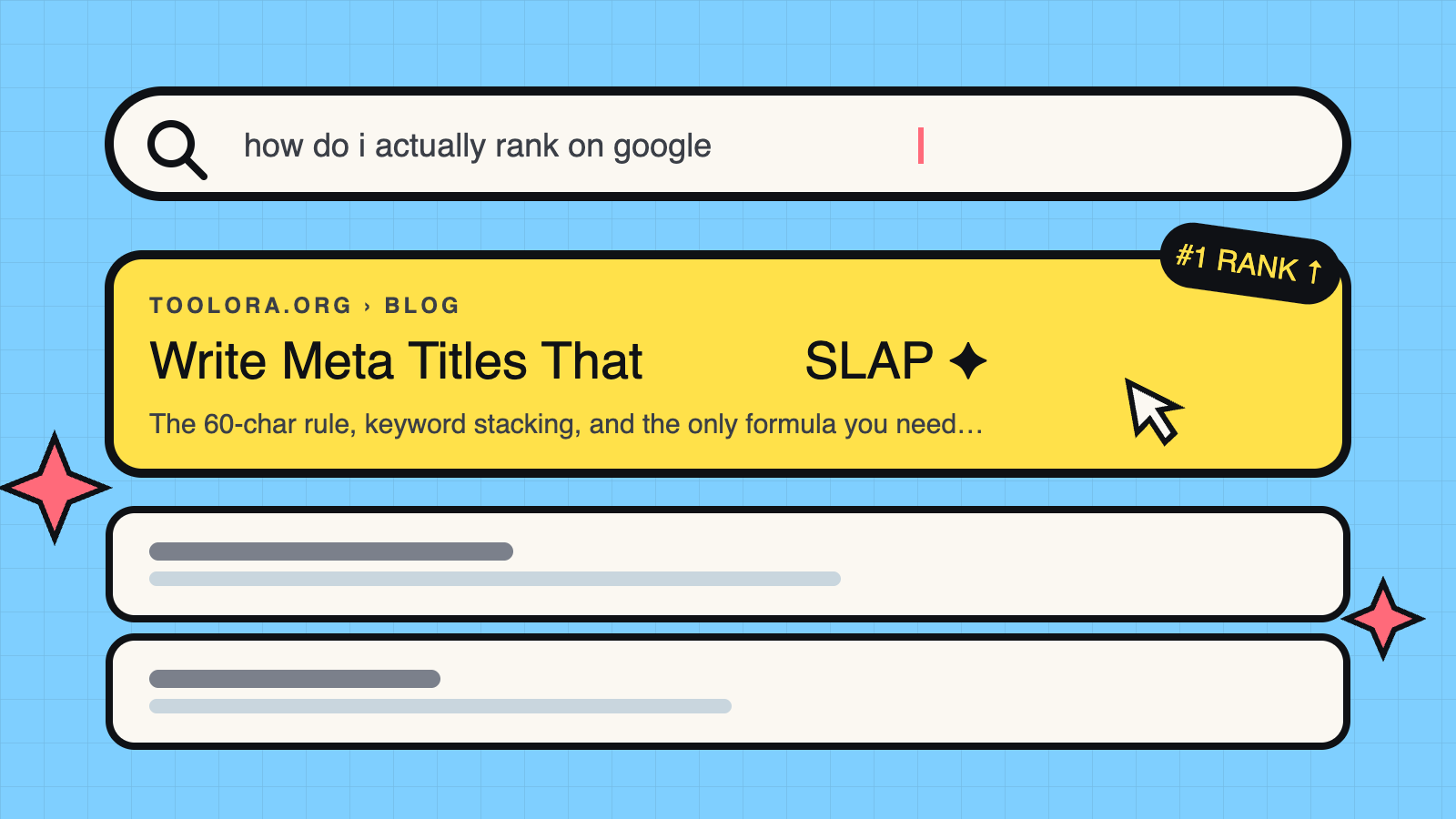

Your meta title is the first thing searchers see—and it takes less than 3 seconds for them to decide whether to click your result or scroll past it. Get this wrong, and even the best content stays buried. Get it right, and you've already won half the SEO battle.
I've analyzed thousands of title tags across competitive niches, and the pattern is clear: pages with optimized meta titles consistently outperform those with generic or poorly crafted ones, often showing significant improvements in click-through rate.
This guide breaks down exactly how to write meta titles that rank on Google—with formulas, real examples, and a checklist you can use immediately.
What Is a Meta Title? (And Why It Matters for SEO)
A meta title (also called a title tag) is the HTML element that defines the title of your webpage. It appears in three critical places:
- Browser tabs — The text shown in your browser's tab
- Search engine results — The clickable blue headline in Google
- Social media shares — Often pulled as the default title when your page is shared
Here's what the HTML looks like:
<title>How to Write a Meta Title That Ranks in 2024 | Toolora</title>
Your meta title directly influences two ranking factors: relevance signals (Google uses it to understand your page topic) and click-through rate (higher CTR can improve rankings over time).
According to Google's own documentation on title links, the title tag remains one of the primary elements Google uses to generate the clickable headline in search results.
Think of your meta title as a 60-character advertisement for your content. It needs to:
- Tell Google what your page is about
- Convince searchers you have what they need
- Stand out from 9 other competing results
The Perfect Meta Title Formula for 2024
After testing hundreds of variations, this formula consistently produces results:
[Primary Keyword] + [Modifier/Number] + [Benefit/Hook] | [Brand]
Example: "How to Write Meta Titles + 7 Examples + That Actually Rank | Toolora"
Let's break down each component.
Optimal Character Length (50-60 Characters)
As of 2024, Google displays approximately 50-60 characters of your title tag before truncating it with an ellipsis (...), though this can change with Google updates. The exact limit depends on pixel width, not character count—wider letters like "W" take more space than narrow ones like "i."
The safest target: 50-55 characters for guaranteed full display.
| Device | Display Limit | Safe Target |
|---|---|---|
| Desktop | 55 characters | |
| Mobile | 50 characters |
Note: These pixel widths are approximate and may change as Google updates its search interface.
What happens when you exceed the limit? Google either:
- Truncates your title with "..."
- Rewrites it entirely using content from your page
Neither outcome is ideal. You lose control of your messaging and potentially your keyword placement.
Use a meta title checker tool to preview exactly how your title will appear in search results before publishing.
Include Your Primary Keyword Early
Place your primary keyword within the first 30 characters of your meta title. This isn't just about rankings—it's about user attention.
Research from Nielsen Norman Group on eye-tracking patterns shows searchers scan the left side of results first. Front-loading your keyword ensures:
- Searchers immediately recognize relevance
- Your keyword survives even if Google truncates the title
- You signal topical alignment to search engines
Compare these two approaches:
❌ "The Ultimate Guide to Everything You Need to Know About Writing Meta Titles"
✅ "How to Write Meta Titles: 7-Step Guide for Higher Rankings"
The second version puts "meta titles" within the first 25 characters and adds specificity with "7-Step Guide."
Add a Compelling Hook or Number
Numbers and power words dramatically increase click-through rates. Here's what works:
Numbers that perform well:
- Odd numbers (7, 9, 11) often outperform even numbers
- Specific numbers feel more credible than round ones (37 vs 40)
- Year modifiers (2024, 2025) signal freshness
Power words that drive clicks:
- Ultimate, Complete, Essential
- Free, Quick, Easy
- Proven, Tested, Data-Backed
- Now, Today, Fast
A title like "Meta Title Examples: 9 Proven Formulas (2024)" hits multiple psychological triggers: specificity, social proof, and recency.
7 Meta Title Best Practices That Drive Rankings
Use this checklist for every page you optimize:
☑️ 1. Put Keywords at the Beginning
Your primary keyword should appear in the first half of your title—preferably the first few words. Google weights early-appearing terms slightly higher, and users scanning results will see them first.
☑️ 2. Keep It Under 60 Characters
Count your characters before publishing. Every character over ~60 is a gamble. Use a free character counter to verify length across devices.
☑️ 3. Make It Unique for Every Page
Duplicate title tags confuse Google and dilute your ranking potential. Each page should have a distinct title reflecting its unique content and target keyword.
Common duplicate title scenarios to fix:
- Pagination pages with identical titles
- Product variations with the same generic title
- Category pages with template-generated titles
☑️ 4. Include Your Brand Name Strategically
For established brands: Add your brand at the end (after a pipe or dash) to build recognition.
For newer sites: Consider omitting the brand to maximize keyword space, or use a shortened version.
Format: "Primary Keyword Phrase | Brand Name"
☑️ 5. Match Search Intent
A title that doesn't match intent will underperform regardless of keyword optimization. Check the current top 10 results for your target keyword:
- Are they how-to guides? Match that format.
- Are they product comparisons? Write a comparison-focused title.
- Are they tool pages? Make sure your title reflects that.
☑️ 6. Write for Humans First, Search Engines Second
If your title reads like keyword soup, users won't click—and Google's systems increasingly identify and demote over-optimized content.
Read your title out loud. Does it sound natural? Would you click it?
☑️ 7. Avoid Keyword Stuffing
One primary keyword and one secondary keyword is plenty. More than that looks spammy and can trigger Google's algorithms.
❌ "Meta Title SEO | Title Tag SEO | Meta Tags SEO Tips"
✅ "How to Write Meta Titles That Rank: SEO Best Practices"
Common Meta Title Mistakes to Avoid
These errors undermine even well-researched keywords:
Duplicate titles across pages: Your homepage title shouldn't match your about page title. Audit your site for duplicates using SEO analysis tools.
Being too generic: "Welcome to Our Website" tells Google nothing and gives users no reason to click. Every title needs specificity.
Ignoring brand consistency: If your brand name is "Toolora," don't write it as "TOOLORA" on some pages and "toolora.org" on others.
Going over character limits: Those trailing ellipses look unprofessional and often cut off key information.
ALL CAPS or excessive punctuation: THIS LOOKS SPAMMY!!! Google may rewrite these titles, and users associate them with low-quality sites.
Misleading titles: Clickbait that doesn't deliver causes bounces, which can indirectly hurt rankings.
Meta Title vs H1: What's the Difference?
This confusion is extremely common, so let's clarify:
| Element | Location | Purpose | Length |
|---|---|---|---|
| Meta Title | Browser tab + SERPs | Attract clicks from search results | 50-60 characters |
| H1 | On-page headline | Orient users who land on your page | No strict limit |
Should they be identical? Not necessarily—but they should be related.
Your meta title needs to be concise for SERP display, while your H1 has room to be more descriptive. For example:
- Meta title: "How to Write Meta Titles That Rank (2024 Guide)"
- H1: "How to Write Meta Titles That Rank on Google: A Complete Step-by-Step Guide"
The H1 can expand on the title's promise without worrying about character truncation.
Best practice: Keep the same primary keyword in both, but feel free to add more context in your H1.
10 Meta Title Examples (Good vs Bad)
Real examples across different page types:
Blog Posts
❌ Bad: "Blog Post About Meta Titles and SEO"
✅ Good: "How to Write Meta Titles: 7 Formulas That Rank | Toolora"
Why it works: Clear keyword placement, specific number, implied value.
E-commerce Product Pages
❌ Bad: "Blue Running Shoes - Buy Now"
✅ Good: "Nike Air Zoom Pegasus 40 | Men's Running Shoes | Free Shipping"
Why it works: Brand + product name + category + buying incentive within 60 characters.
Service Pages
❌ Bad: "Our Services - What We Offer"
✅ Good: "Emergency Plumber in Austin | 24/7 Service | Call Now"
Why it works: Service + location + differentiator + CTA.
Homepage Examples
❌ Bad: "Home - Welcome to Our Website"
✅ Good: "Toolora | Free SEO Tools for Content Creators"
Why it works: Brand + clear value proposition.
Local Business Pages
❌ Bad: "Best Pizza Restaurant"
✅ Good: "[Your Business] NYC | Wood-Fired Pizza in Brooklyn Since 1985"
Why it works: Business name + location + unique selling proposition.
Comparison/Review Pages
❌ Bad: "Product Review"
✅ Good: "Ahrefs vs SEMrush: Honest Comparison (Tested Both for 6 Months)"
Why it works: Specific products + credibility signal + timeframe.
Note: Only use specific timeframes and testing claims in your titles if you can actually substantiate them.
How-To Guides
❌ Bad: "Tutorial"
✅ Good: "How to Start a Blog in 2024: 9-Step Guide (Takes 20 Minutes)"
Why it works: Year + step count + time investment = highly clickable.
How to Test and Optimize Your Meta Titles
Writing great titles is step one. Measuring their performance is how you improve.
Use Free Meta Title Preview Tools
Before publishing, preview how your title will display in actual search results. Tools like Toolora's meta title checker show you:
- Character count and pixel width
- Mobile vs desktop appearance
- Truncation warnings
This preview step catches problems before they affect your rankings.
A/B Testing with Google Search Console
Google Search Console provides the data you need to optimize existing titles:
- Navigate to Performance → Search Results
- Filter by a specific page
- Note current impressions, clicks, and CTR
- Update your meta title
- Wait 2-4 weeks for data
- Compare new CTR to baseline
When to update a title:
- Low CTR despite high impressions (users see you but don't click)
- Ranking well for keywords not included in your title
- Google is rewriting your title (check "Search Appearance" data)
A 1-2% CTR improvement across hundreds of monthly impressions can mean dozens of additional visitors.
Tools to Write Better Meta Titles
The right tools make optimization faster and more accurate:
For character counting and preview:
- Toolora's SEO tools suite — Free SERP preview and character counting
- Browser extensions that show title length as you type
For keyword research:
- SEMrush — Keyword difficulty and search volume data
- Ahrefs — Competitor title analysis and keyword gaps
For bulk analysis:
- Screaming Frog — Crawl your site for duplicate or missing titles
- Google Search Console — Performance data for existing titles
For AI assistance:
- Use AI tools to generate variations, but always edit for brand voice and accuracy
FAQ: Meta Title Questions Answered
How many characters is too many?
Anything over 60 characters risks truncation. Aim for 50-55 characters to display fully on all devices.
Can I use emojis in meta titles?
Google sometimes displays emojis, but often removes them. Use sparingly and test. Emojis can increase CTR when displayed, but you can't guarantee Google will show them.
Does Google rewrite meta titles?
Yes—frequently. Google rewrites titles when they're too long, don't match search intent, are stuffed with keywords, or when it finds better text on your page. The best defense is writing clear, relevant titles that accurately describe your content.
How often should I update them?
Update titles when: CTR is underperforming, you're targeting a new keyword, your content has been significantly updated, or Google is rewriting your title. Don't change titles that are performing well—you may lose rankings.
Should my meta title match my H1 exactly?
Not required, but they should be related. Your meta title is optimized for clicks in SERPs; your H1 can be more descriptive since users have already landed on your page.
Does the meta title still affect rankings in 2024?
Absolutely. It's one of the most important on-page ranking factors. Google uses it to understand your page's topic, and users use it to decide whether to click. Both directly and indirectly influence your rankings.
Final Checklist: Writing Meta Titles That Rank
Use this checklist for every page you optimize:
Pre-Writing
- Primary keyword identified
- Search intent confirmed (check top 10 results)
- Competitor titles analyzed
Writing
- Primary keyword appears in first 30 characters
- Total length is 50-55 characters
- Includes a number or power word
- Sounds natural when read aloud
- Matches search intent
- Brand name included (if appropriate)
Before Publishing
- Previewed in SERP simulator
- Confirmed unique (not duplicated on other pages)
- Mobile display checked
- No keyword stuffing
After Publishing
- Indexed in Google Search Console
- CTR monitored after 2-4 weeks
- Compared against baseline performance
Your meta title is a 60-character opportunity to win the click. Every word needs to earn its place. Use this guide and checklist to write titles that rank, get clicked, and drive the traffic your content deserves.
Ready to check your current titles? Run them through a free meta title analyzer to see exactly how they'll appear in search results.